
Finishing joining
Follow the 3 steps below and begin enjoying your discounted lunches
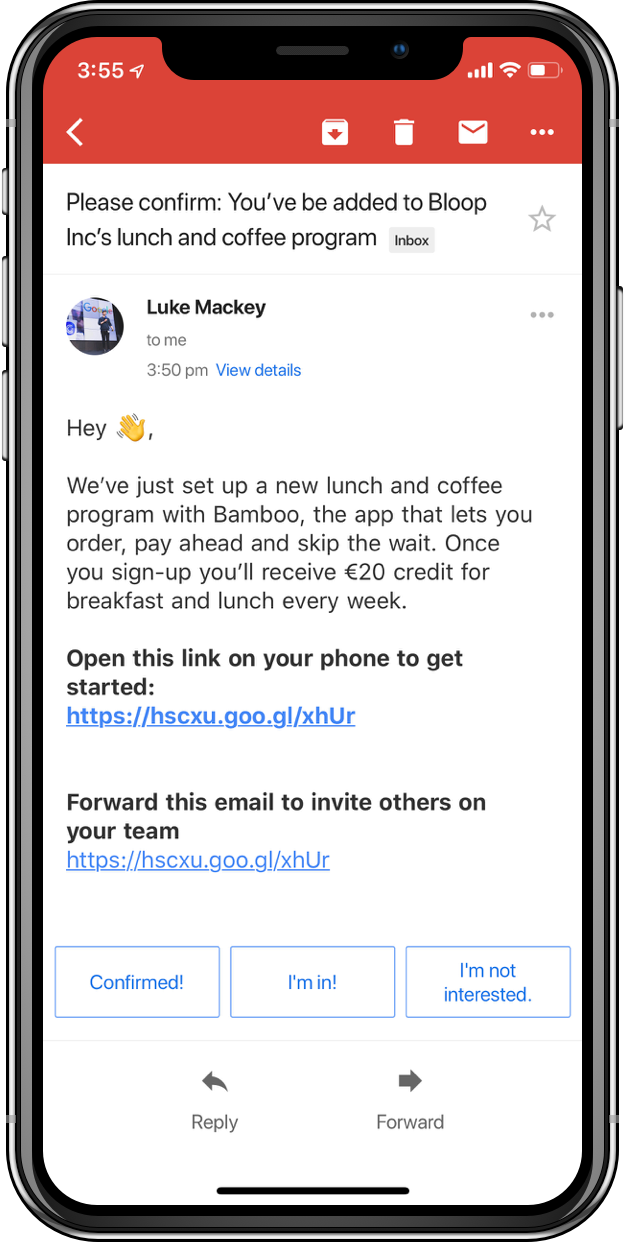
STEP 1 - open the link on your phone
When you open the link on your phone you'll get linked to download the app and taken to sign up.
If you already have Bamboo, you'll be added to the business instantly
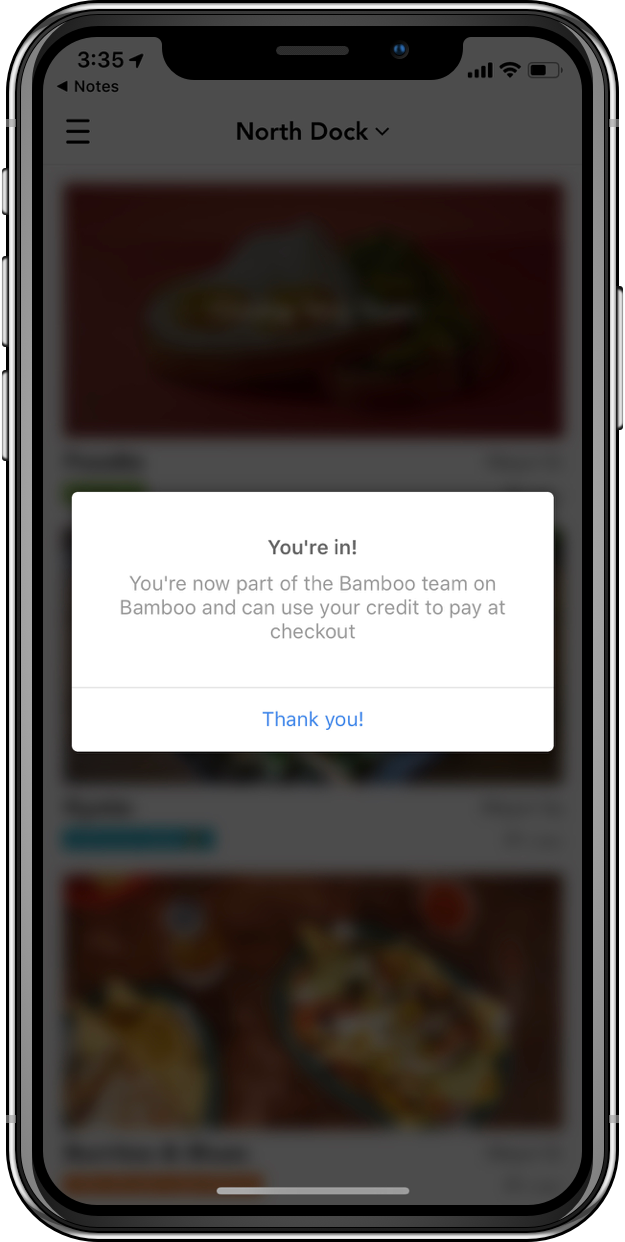
STEp 2 - wait for the pop-up confirming you've joined
Once you signed up or opened the app from the link, you'll get a pop-up in Bamboo confirming you're in
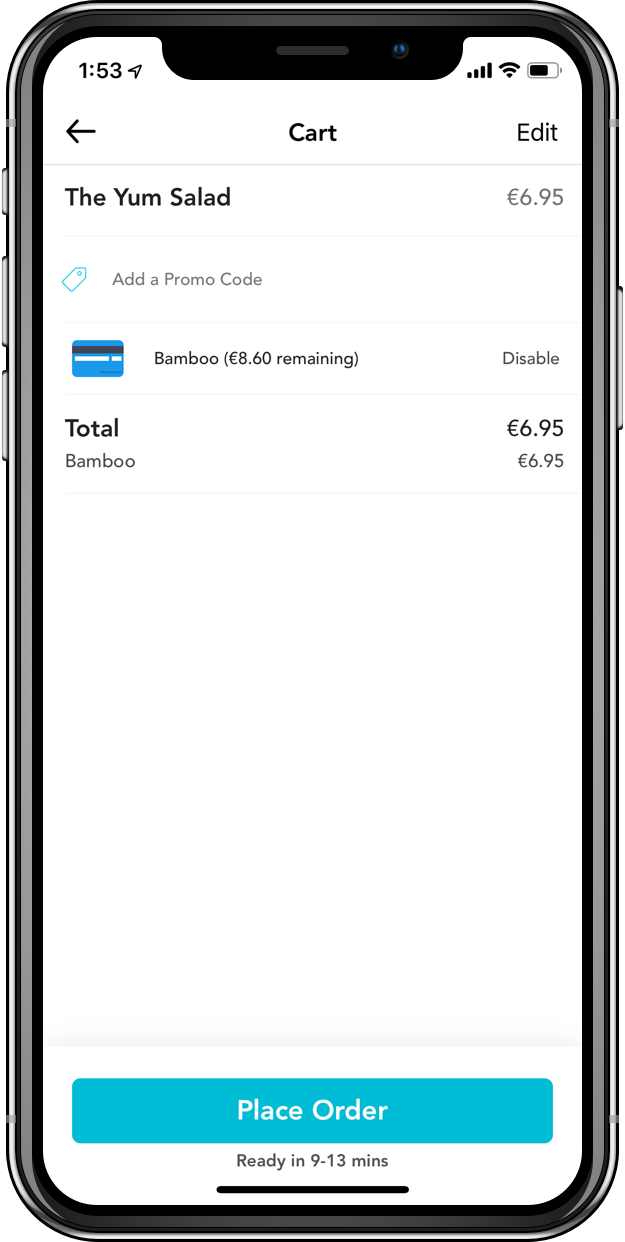
step 3 - make an order with your new business account
If you've been added to a plan, you'll see a card in the Cart screen showing a business card for your business and show you how much credit you'll have left after your order