
Finishing joining
Follow the 3 steps below and begin enjoying your discounted lunches
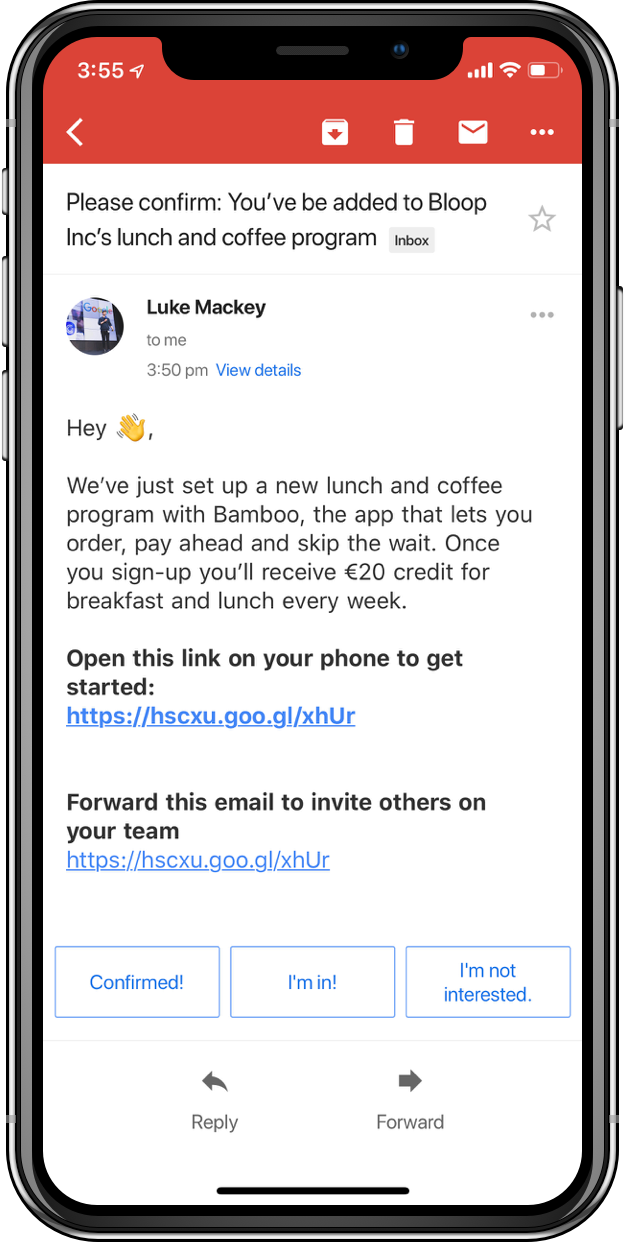
STEP 1 - open the link on your phone
When you open the link on your phone you'll get linked to download the app and taken to sign up.
If you already have Bamboo, you'll be added to the organisation plan instantly
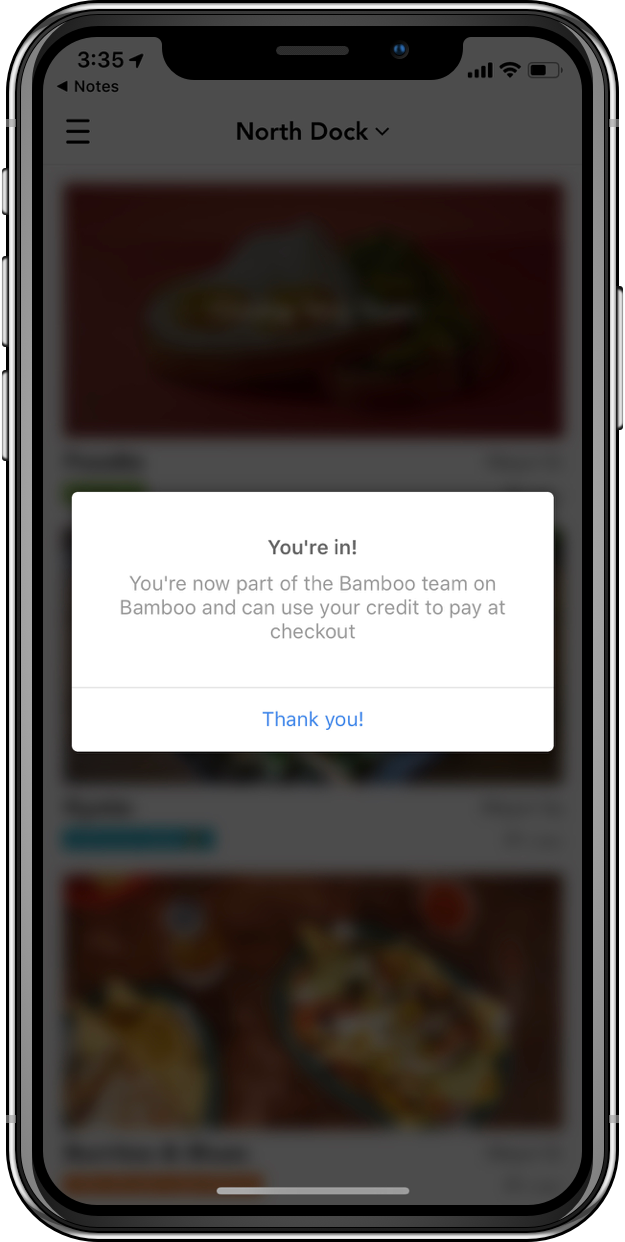
STEp 2 - wait for the pop-up confirming you've joined
If you don't have an account yet and don't see the pop-up, don't worry.
Once you sign up or sign in from the link, you should see it on the home screen confirming you're in the organisation plan
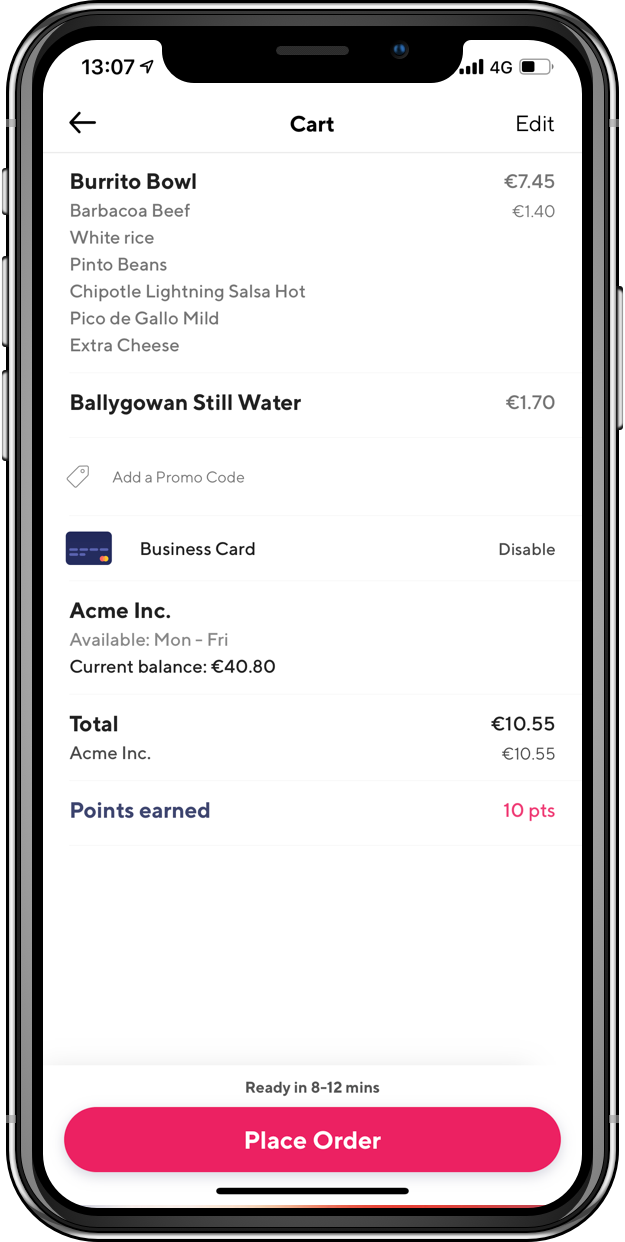
step 3 - make an order with your new business account
Go check out the great selection of stores on Bamboo, decide what you want and go to your cart.
You'll see your org's card, the amount of the bill covered by them, and how much credit you'll have remaining afterwards.
Enjoy your orders,
The Bamboo team